Just the
progress bar.
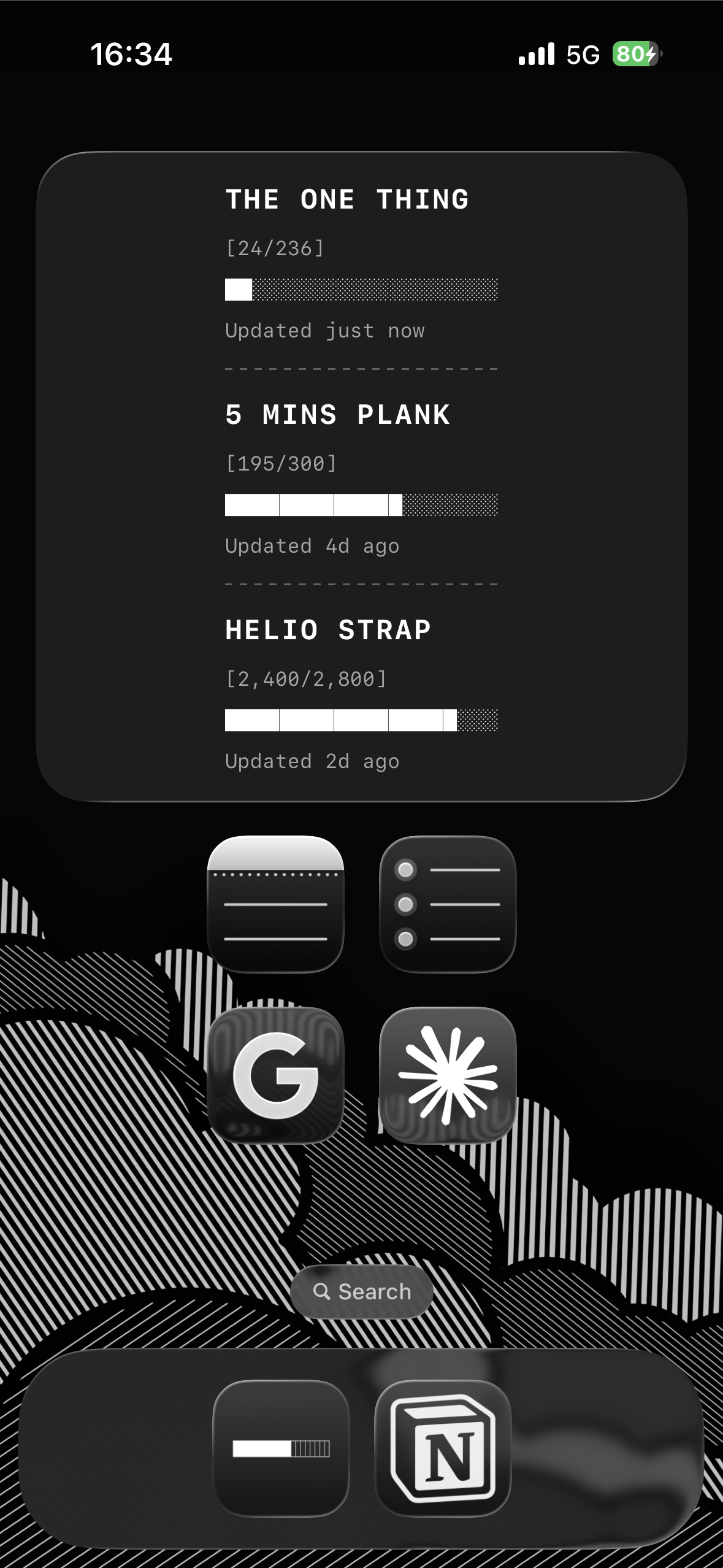
No complex dashboards. No "engagement" tricks. Just a simple way to track your goals right on your Home Screen.
- █ Home Screen Widget
- █ One-Tap Updates
- █ Pure Monochrome
- █ Privacy First
 Download on App Store
Most apps are part of the problem.
They want your attention. They have streaks, badges, and notifications designed to keep you in the app.
Mini Progress is different. It wants you to hit your number and get on with your life.
Your goals.
Any size.
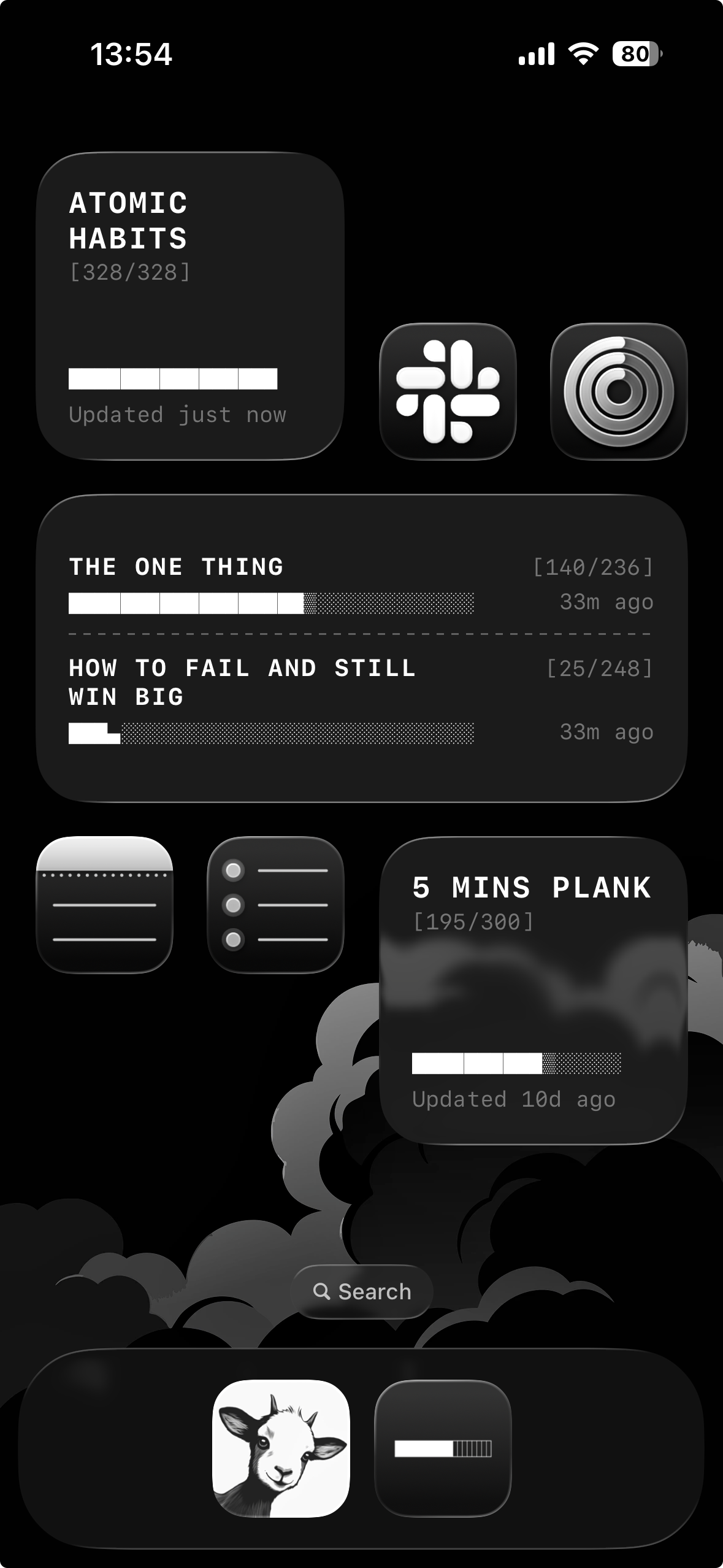
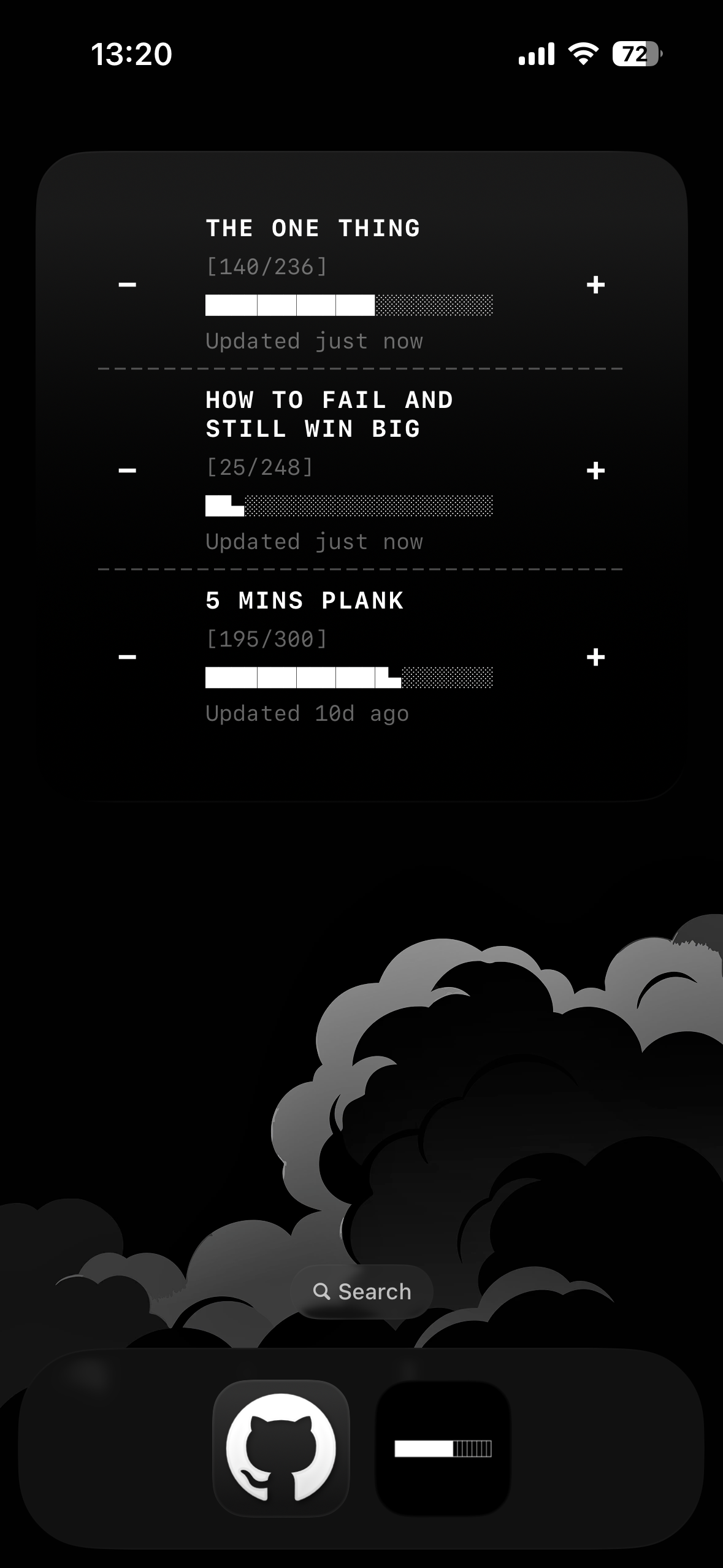
Three widget sizes to fit your Home Screen layout. From a compact glance to a detailed overview.
Small
One tracker at a glance. Perfect for your main goal.
Medium
Up to two trackers side by side. Balance dual goals.
Large
Three trackers with full details. Complete overview.
Update without
opening.
Tap the plus or minus buttons directly on the widget. Your progress updates instantly—no need to open the app.
Interactive
Tap buttons on the widget to increment or decrement.
Instant
Changes reflect immediately. No loading, no waiting.
Your goals.
Uncluttered.
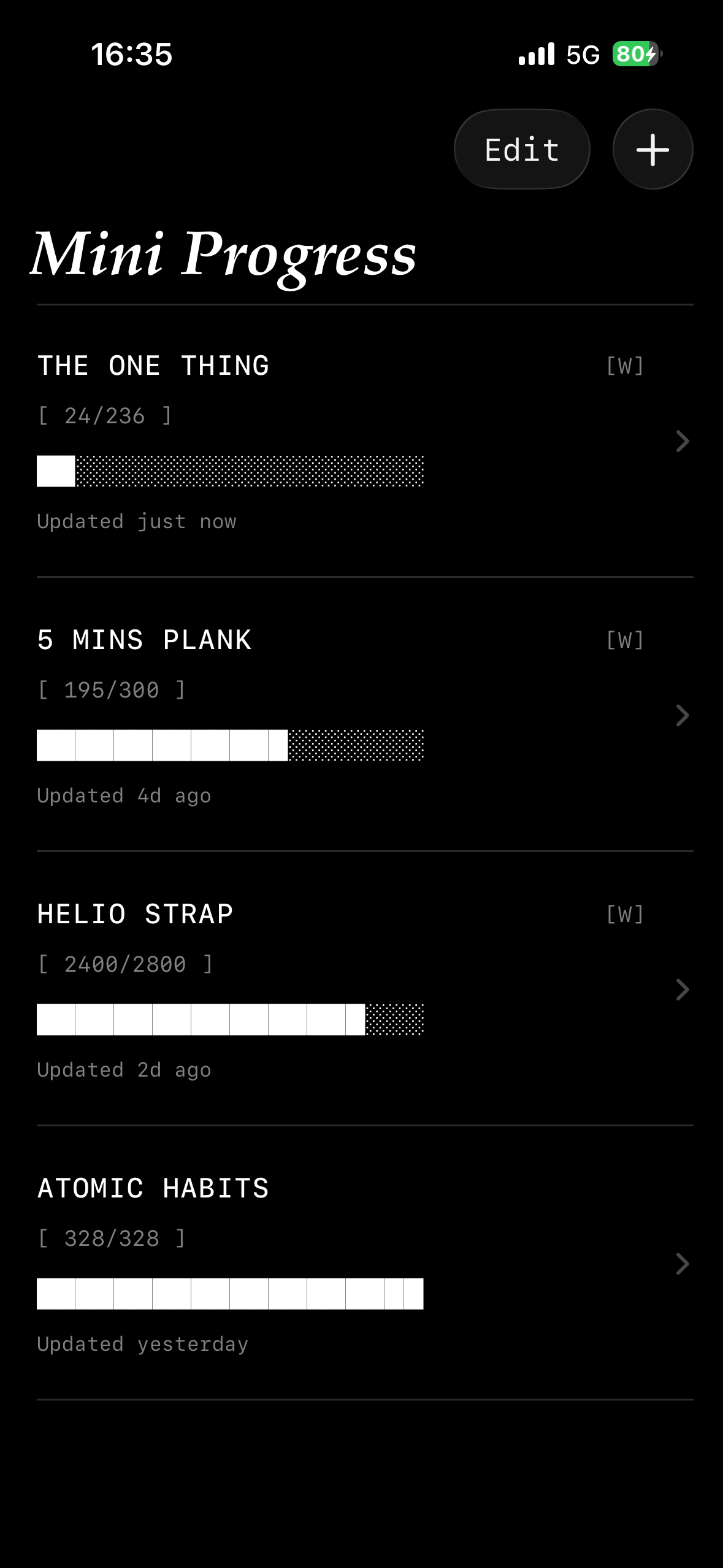
A clean, monochrome list of what matters. Tap the plus. Watch the bar fill up.
One Tap
Increment your progress instantly. No menus, no modals.
No Guilt
Missed a day? It happens. No streaks to break, no shaming.
Precision control.
Focused details.
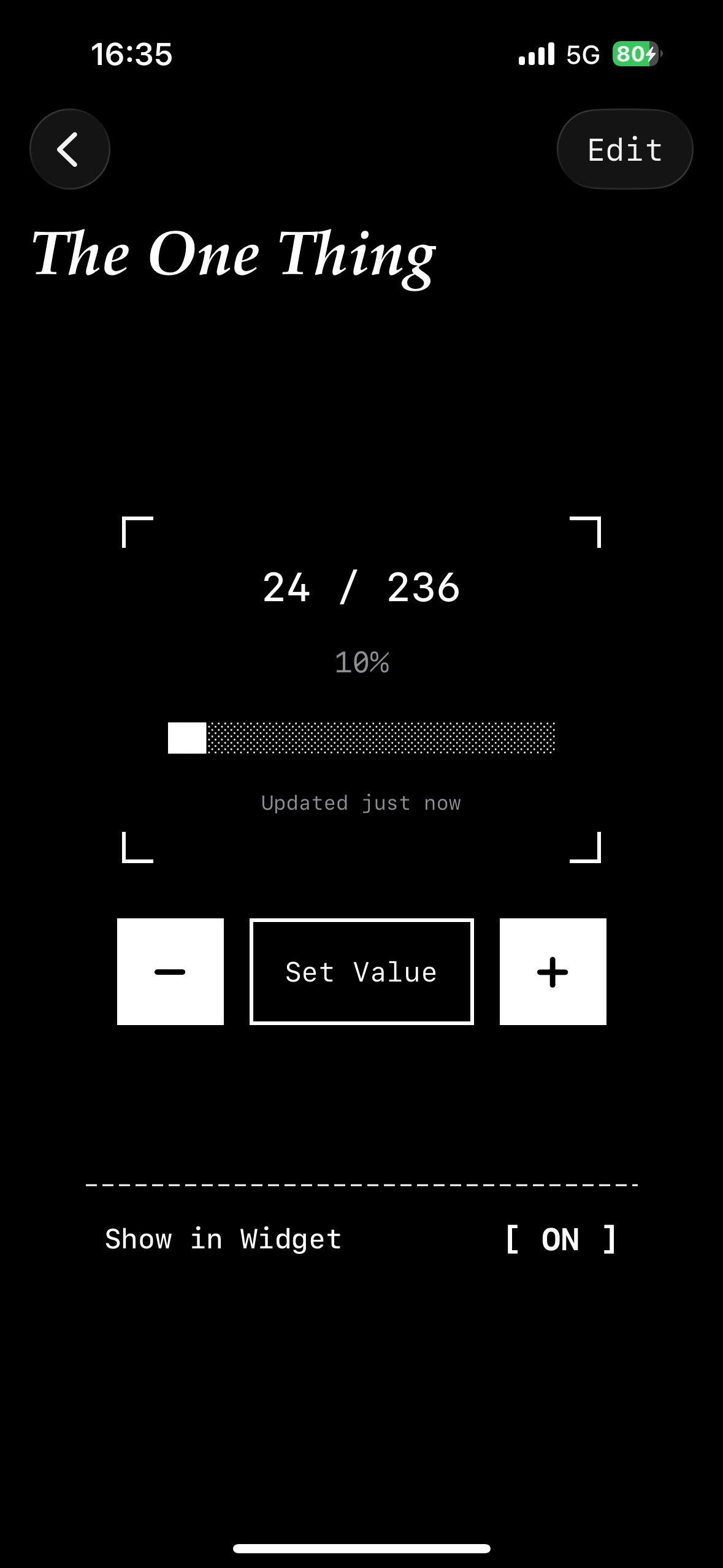
Tap into any tracker for the full picture. Adjust your progress, set specific goals, and manage settings with precision.
Customization
Set step sizes, specific targets, and toggle widget visibility.
Industrial Design
Built with a raw, functional aesthetic that respects your focus.
No gamification. No guilt.
Missed a day? Who cares. There are no streaks to break, no badges to lose, and no emails asking where you went.
It's a tool, not a game. Pick it up when you're ready.
"The best productivity tool is one that stays out of your way."
Track what matters to you.
Reading
Track pages or chapters toward your annual reading goal.
Fitness
Count miles run, workouts completed, or pounds lifted.
Savings
Watch your balance grow toward a purchase or emergency fund.
Projects
Measure tasks completed or milestones reached.
Learning
Count lessons finished, vocabulary learned, or courses completed.
Any Number
If you can count it, you can track it.
Reading
Track pages or chapters toward your annual reading goal.
Fitness
Count miles run, workouts completed, or pounds lifted.
Savings
Watch your balance grow toward a purchase or emergency fund.
Projects
Measure tasks completed or milestones reached.
Learning
Count lessons finished, vocabulary learned, or courses completed.
Any Number
If you can count it, you can track it.
What sets Mini Progress apart.
| Feature | Mini Progress | Other Apps |
|---|---|---|
| Home screen widget | Large, focused | Small, cluttered |
| Color scheme | Pure monochrome | Colorful, busy |
| Gamification | None | Streaks, badges, points |
| Notifications | None | Daily reminders |
| Price model | One-time purchase | Subscriptions |
| Data privacy | 100% local + iCloud | Cloud accounts, analytics |
Questions? Answers.
How many trackers can I create?
Unlimited in the app. The widget displays up to three of your choosing.
Does it work offline?
Yes. All data is stored locally. iCloud sync is optional for multi-device use.
Can I track decimals?
Absolutely. Track 5.5 miles or $127.50 with full decimal support.
Why only black and white?
Because it looks clean on any wallpaper. And honestly, bright notification colors are stressful. This is calm.
Is there a subscription?
No. One small purchase, yours forever.
What about an Android version?
Mini Progress is iOS-only, built with native Apple technologies for the best possible experience.
Ready to focus?
Download on App Store ›